
You open your website reports and see two different numbers for Google traffic. Search Console says the site received one number of clicks, while Google Analytics 4 shows a different number of sessions. Did one of the tools stop working?
Probably not. They measure different parts of the visitor journey, using different definitions and collection methods. Search Console helps explain how your website appears in Google Search. GA4 helps explain what visitors do once they arrive, including people who come from other sources.
This Google Search Console vs GA4 guide shows what to check in each tool, why reports don’t match exactly, and how to turn both sets of data into useful decisions for a small website.
Google Search Console vs GA4 at a Glance
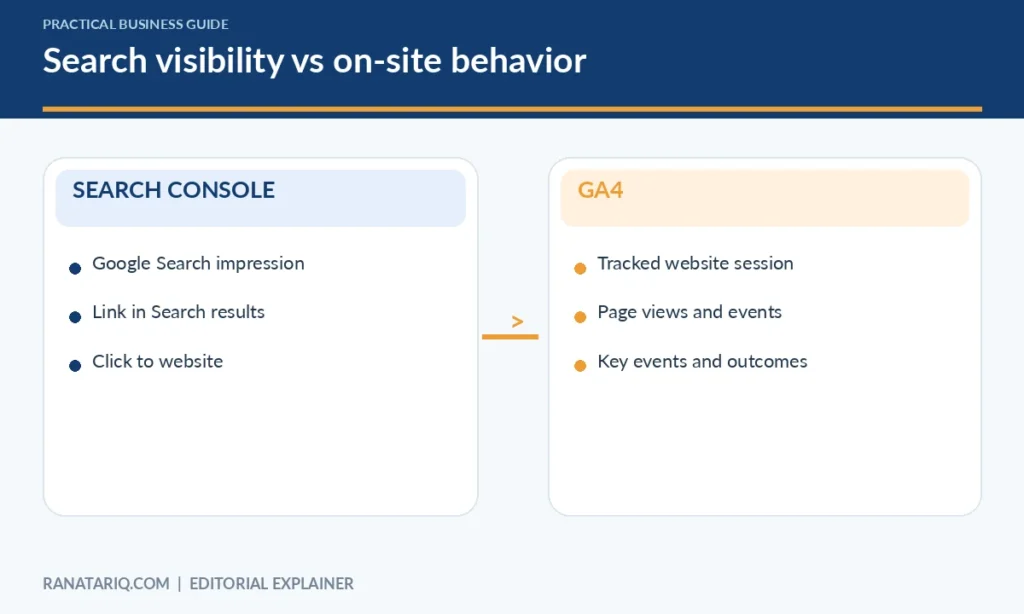
Think of the visitor journey in two parts. First, someone sees your page in Google Search and may click it. Second, someone visits your website and browses, signs up, or takes another action.
Google Search Console is designed around the first part. GA4 measures activity on your website or app once tracking is implemented. Google’s official comparison of Search Console and Google Analytics describes this distinction directly.
| Question | Search Console | GA4 |
|---|---|---|
| Which queries displayed my site in Google Search? | Yes, subject to reporting limits | Not as its primary report |
| How often did my page appear in Google Search? | Impressions | Not a standard page-view metric |
| How many clicks came from Google Search? | Search clicks | Measures website sessions and events instead |
| Which traffic sources brought visitors? | Focuses on Google Search and related search surfaces | Multiple tracked acquisition channels |
| What did people do on the site? | Limited | Events, page views, engagement, and configured key events |
| Can it help investigate indexing issues? | Yes | Not its main purpose |
| Can it analyze an enquiry form completion? | No, not as onsite behavioral measurement | Yes, if correctly configured |
Neither tool replaces the other. If you publish content to attract readers and want them to take useful actions, both provide important context.
What Google Search Console Measures
Search Console gives site owners information about Google’s discovery, indexing, and search performance. It can reveal which searches generated visibility, which pages attracted clicks, and whether Google reports problems accessing important URLs.
The Performance report includes clicks, impressions, click-through rate, and average position. Google’s Search Console performance documentation explains how these metrics are calculated and grouped.
Clicks
A click is generally counted when someone uses a link in the relevant Google Search result to visit your website. The definition depends on the search feature and report.
Clicks are useful when you want to know how much traffic a page attracted from Google Search. They do not tell you whether the visitor bought something, filled in a form, or found the information useful after arriving.
Impressions
An impression indicates that a result from your site was shown according to Google’s reporting rules. It doesn’t mean the visitor read the page, clicked it, or even remembered seeing it.
For example, an article can gain impressions before it gains many clicks. That may suggest your page is appearing for more queries, but you still need to look at search intent and the kinds of results competing for attention.
Click-through rate
CTR is clicks divided by impressions. A page with 50 clicks from 1,000 impressions has a 5% CTR. That number isn’t automatically good or bad because it depends on the search query, position, result layout, and user intent.
Use CTR as a prompt to investigate, not as a score to maximize at all costs. A more accurate title can be worth more than a sensational title that attracts the wrong readers.
Average position
Average position describes where your result appeared in the reported search results, using Google’s aggregation rules. It isn’t a permanent rank that every searcher sees. Positions vary by query, device, location, and search context.
Treat averages carefully, especially if you compare different sets of queries or periods. A page’s average position can change even when it ranks better for its main topic because the mix of impressions has changed.
What GA4 Measures
Google Analytics 4 uses events to measure interactions with a website or app. It can report page views, sessions, users, and actions that matter to your business, such as a completed enquiry or purchase, when tracking is configured properly.
GA4 is useful when you want to understand what happens after someone arrives. It can help answer whether visitors browse additional pages, which acquisition channels lead to engagement, and whether people complete an important action.
Users and sessions
A user represents a person or device identity according to GA4’s reporting definitions and available identity methods. A session is a period of activity, so one user can have more than one session.
This distinction matters when someone visits your site on Monday, returns on Thursday, and reads several pages. Don’t use users, sessions, and page views as if they mean the same thing.
Events and key events
GA4 collects events for interactions, such as viewing a page or selecting a tracked element. You can configure relevant events and mark certain important actions as key events, depending on your measurement design.
If your goal is client enquiries, a successfully submitted contact form may be more useful than counting visits alone. Verify the event actually fires only when the action succeeds, or your reports may overstate results.
Acquisition reports
The GA4 Traffic acquisition report helps you inspect sessions by source and channel, such as organic search, direct, referral, or email. Google’s acquisition report guidance explains the distinction between user acquisition and traffic acquisition.
Be careful when comparing reports that use different scopes. A report about how new users first found you isn’t the same as a report about the source of each session.
Why Search Console Clicks and GA4 Sessions Don’t Match
This is one of the most confusing parts of Google Search Console vs GA4. A Search Console click is not a GA4 session, so the two totals are not expected to match perfectly.
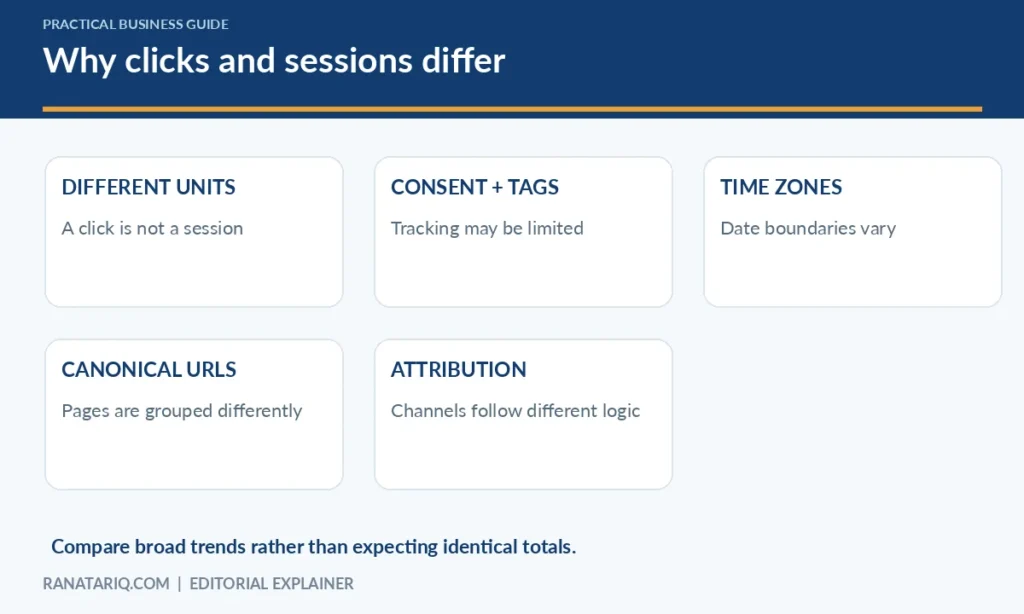
Google’s official guide to using both datasets describes several reasons for differences, including collection methods, consent settings, time zones, canonical URLs, and reporting definitions.
Different events are counted
Search Console measures a click in Google’s search results. GA4 measures a website session after its tracking system can collect data. Someone may click a result but leave before tracking runs, or their browser or consent choice may affect collection.
The reverse comparison can also be confusing because one session can include several page views. A site with many page views isn’t necessarily receiving the same number of Search clicks.
Tracking may not run on every page
GA4 needs a working implementation. If the measurement tag is missing on certain pages or an event is configured incorrectly, your data can be incomplete.
Search Console doesn’t depend on your GA4 tag to report Google Search performance. That is one reason looking at both can help you spot possible measurement problems.
Time zones and attribution differ
Analytics properties have their own reporting time-zone settings, while Search Console uses its own reporting conventions. Day-by-day numbers can therefore differ, especially around date boundaries.
GA4 also classifies traffic sources through attribution and session logic. Search Console reports Search interaction directly. Match date ranges and relevant filters before deciding there is a problem.
URL grouping is different
Search Console often attributes data to Google’s selected canonical URL. GA4 can record activity on whichever page contains the tracking tag, including URLs that redirect or have different parameters.
If you compare a page report in one tool with a differently grouped page in the other, apparent discrepancies can reflect reporting design rather than lost visitors.
Which Tool Should You Open for Common Website Questions?
Imagine you publish a guide about choosing a contractor. It starts receiving attention, but you don’t know whether the article is helping the business.
Question 1. Are people discovering the guide through Google? Open Search Console. Look at the relevant page’s impressions, clicks, queries, and trends over a suitable period.
Question 2. Do readers contact the business afterward? Open GA4. Review traffic to the page and any correctly configured contact or enquiry events. Avoid assuming that everyone who visited the page was a lead.
Question 3. Why did search traffic fall? Start with Search Console to see whether impressions or clicks changed, and whether specific pages or queries were affected. Then use GA4 to compare on-site sessions and look for broader channel changes.
Question 4. Are email campaigns attracting visitors? GA4 is the more direct starting point because it can show tracked sessions and engagement from email campaigns. Search Console doesn’t provide the same cross-channel picture.
Question 5. Is a page eligible to appear in Google Search? Use the indexing and inspection features in Search Console. GA4 can’t tell you whether Google has indexed the canonical page.
A Simple Weekly Reporting Routine
You don’t need a complicated dashboard to get useful value from both tools. Set aside a few minutes once a week, use a consistent date range, and record observations rather than only numbers.
First, review Search Console
Look at clicks and impressions for the website and your most important pages. Note substantial changes and which queries or pages appear responsible. Check for indexing issues on new or strategically important content.
Don’t rush to rewrite a page based on a single day’s movement. Search demand, reporting delays, and normal fluctuations can produce changes that don’t represent a lasting problem.
Next, review GA4
Look at traffic acquisition for the same general period, then examine important landing pages and configured key events. Ask which channels delivered visitors who completed meaningful actions.
If a page attracts readers but produces few enquiries, consider whether the page answers an informational question rather than a buying question. Not every article should be judged as a direct sales page.
Finally, record one action
A useful weekly report might say, “Search clicks rose on our service guide, but form submissions stayed flat. We will review the contact path on mobile.” That connects measurement to a practical next step.
You can also use tools such as Google Site Kit to bring Search Console and Analytics summaries into a WordPress dashboard. This saves switching between tabs but doesn’t change the meaning of the underlying metrics.
Can You Connect Search Console to GA4?
Google provides options for linking Search Console and Google Analytics so certain Search Console reports are accessible within Analytics. This can be helpful for reviewing Google organic search alongside other website information.
Linking the properties doesn’t make the metric definitions identical. It also doesn’t replace checking indexing information in Search Console or validating event collection in GA4.
If you need a combined view, Google’s guide describes a Looker Studio approach for Search Console and Analytics. Start with a small set of metrics and label each one clearly so readers don’t mistake clicks for sessions.
Where Bing Reporting Fits In
Search Console focuses on Google’s search ecosystem. If you also want to understand how your site appears in Bing’s AI-powered search experiences, those reports belong to a separate platform.
Our guide to the Bing AI Performance Report explains the metrics available there and why AI citations are not the same as standard search clicks. Don’t add figures from different platforms together unless you know exactly what each measure represents.
Mistakes to Avoid When Reading the Reports
Don’t compare Google Search Console’s total clicks directly with GA4’s total users. They measure different things. Match organic Google traffic filters before drawing even broad comparisons, and expect some remaining difference.
Don’t judge SEO success by average position alone. Review query relevance, click trends, and whether visitors receive useful information. Also avoid assuming a missing conversion means an article has no value if its purpose is education or brand discovery.
Finally, verify data collection before making big decisions. A broken tag, incorrectly configured key event, or unusual consent setup can produce misleading analytics. Use your own observations and tests to confirm what the dashboards report.
Frequently Asked Questions
Is Google Search Console the same as Google Analytics 4?
No. Search Console reports how your site appears and performs in Google Search, along with discovery and indexing information. GA4 measures tracked visitor activity on your website or app.
Why does Search Console show more clicks than GA4 shows sessions?
The tools count different events and collect information differently. Consent choices, missing tags, date boundaries, canonical URLs, and other factors can also create discrepancies.
Which tool is better for SEO?
Use Search Console to investigate Google Search visibility, queries, clicks, and indexing. Use GA4 to understand what visitors do after arriving and whether tracked actions meet your goals.
Do I need both tools for a small blog?
You can begin with Search Console if your primary goal is understanding Google Search visibility. GA4 becomes useful when you want more detail about onsite behavior and traffic from multiple channels.
Can GA4 show the keywords people searched on Google?
GA4 doesn’t provide the same query reporting as Search Console. For Google organic search queries associated with your site, use Search Console and its available integrations.
Final Thoughts
Google Search Console vs GA4 isn’t a competition. Search Console helps you understand how readers find your pages in Google Search. GA4 helps you understand what tracked visitors do on your site afterward.
Use both when your goal is to publish useful content and improve the actions that matter to your business. Keep each metric in context, verify the tracking setup, and turn findings into small, testable improvements rather than chasing a single dashboard number.